Puku Code
Sidebar, panes, git, browser, side chat — one window.

- Role
- Product & design lead
- Scope
- 146+ screens · Chat, Co-work & Code
- Platform
- Desktop · macOS · 1440×900
The brief
A desktop coding agent with Chat, Co-work and Code modes that can run sessions, review diffs, manage git and preview the result without leaving the app.
What I did
- Mapped the full agent loop into coded screen families (H, K, N, P, R, S, A) so every state had a home.
- Designed the composer (slash commands, @-files, permission modes), model and effort menus, a usage heatmap and rewind checkpoints.
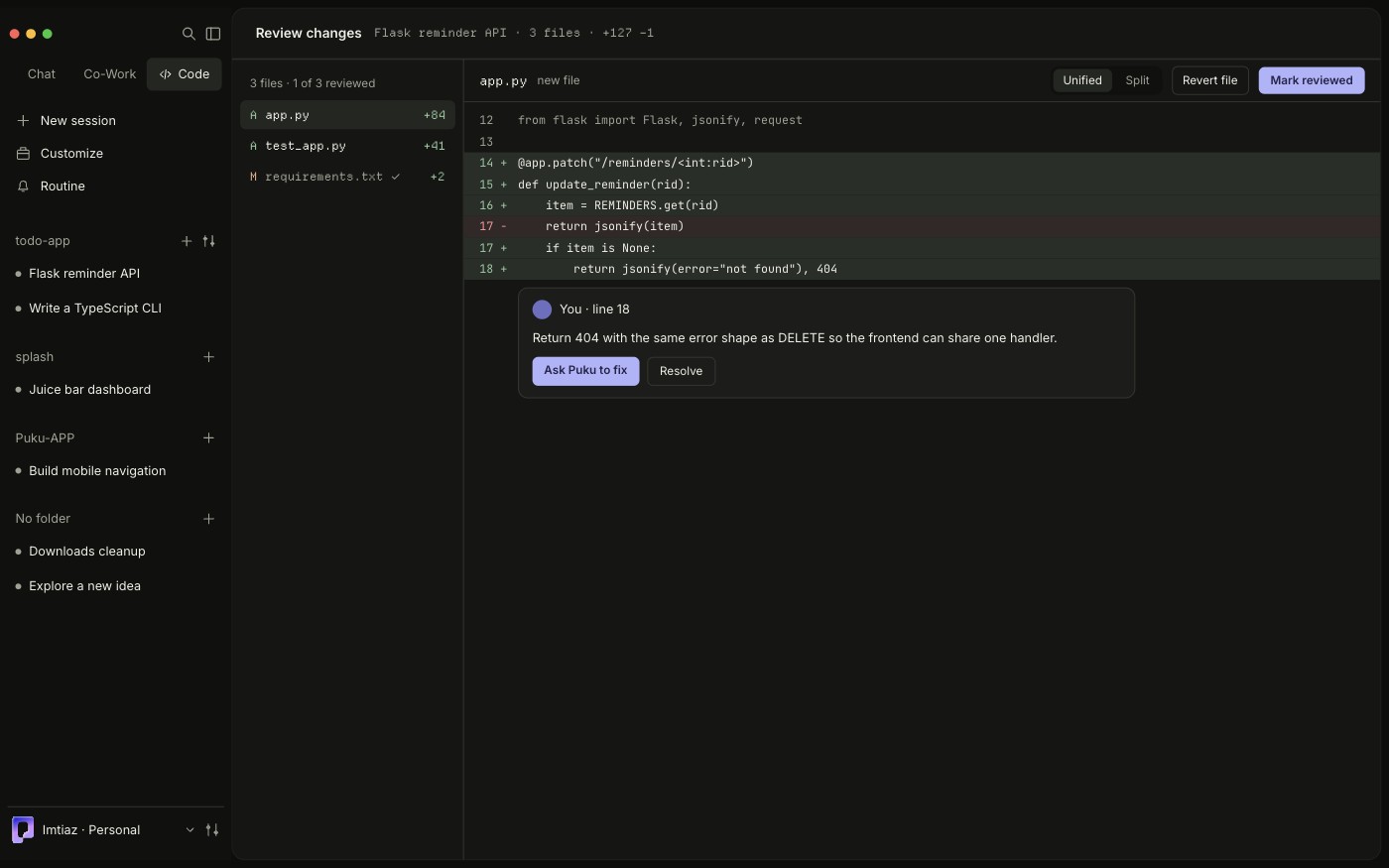
- Specified git end to end — commit, push rejected, PR created — plus plan review, permission approval, cloud handoff, browser preview, iPhone simulator, SSH, voice and side chat.
- Designed context-limit and error edges with a dark/light pair for each.
Key decisions
- D.1
Checkpoints, not fear
Rewind makes it safe to let the agent try.
- D.2
Git as a first-class flow
Rejected pushes and PRs are screens, not toasts.
- D.3
Usage made visible
A heatmap turns plan limits into something people can plan around.
Next Puku product
Puku App
